Disaster Recovery Plan (DRP): The 2026 Guide for SMBs

A disaster recovery plan (DRP) sets out the organizational and technical procedures for restarting and restoring your information system after a major incident. For an SMB, it comes down to four decisions: which services to bring back first, how quickly, how much data loss you can tolerate, and which isolated backup to restore from. A DRP is only worth something once it has been tested with a real restore.
Key takeaways:
- A DRP aims to restore the information system after a major incident, while a business continuity plan (BCP) aims to keep critical functions running during the crisis.
- The RTO sets the maximum acceptable downtime, and the RPO sets the maximum amount of data the business can afford to lose.
- The CNIL recommends storing at least one backup at a geographically separate site and keeping at least one isolated offline.
- Article 32 of the GDPR provides for the ability to restore data availability in a timely manner and for a process to regularly test security measures.
- If a breach poses a risk to individuals, the CNIL must be notified within 72 hours where feasible, even when only data availability has been lost.
Table of Contents
- What is a disaster recovery plan?
- What is the difference between a BCP and a DRP?
- Does an SMB really need one?
- How do you build a DRP in 4 steps?
- How do you set your RTO and RPO?
- What backups does a DRP need to work?
- What should you do in the first hours of a ransomware attack?
- What does the GDPR require on recovery and notification?
- Yundera: a managed private server for your services and data
- The most common mistakes that make a DRP fail
- Sources
- Frequently Asked Questions
What is a disaster recovery plan?
A disaster recovery plan (DRP) is the set of organizational and technical procedures to follow to restart and restore the information system after a major incident that has caused a full or partial shutdown. In practical terms, it states who makes the decisions, which services to bring back first, from which data and in what order.
In an SMB, this document addresses very concrete situations:
- Ransomware: files and servers are encrypted. The plan explains how to recover from a backup taken before the attack, after checking that it isn't infected.
- Hardware failure: the file server won't start. The plan says where to reinstall the service, on what hardware and from which copy of the data.
- Disaster on the premises: a fire or water leak destroys the workstation, the server and the backup drive sitting next to it. Only a copy kept at a geographically separate site will get you back up and running.
- Human error: an employee deletes a shared folder or overwrites an accounting database. The plan explains how to restore a recent version without interrupting everything else.
So a DRP is more than a backup. The backup provides the data; the plan organizes how it gets back into service, with owners, priorities and a restart order agreed before the incident.
What is the difference between a BCP and a DRP?
A business continuity plan (BCP) lets you keep working during the crisis, while a DRP gets the information system back in working order after the incident. According to IT-Connect, a BCP aims to maintain the company's critical functions during a disruption, whereas a DRP focuses on recovery.
- BCP: ensures that essential operations continue, in degraded mode if necessary.
- DRP: restarts and restores the affected systems, then returns to normal operation.
Take the fictional example of a 15-person accounting firm whose file server has been encrypted by ransomware. Its BCP calls for contacting clients by phone from a printed list, handling urgent deadlines on clean workstations and postponing everything else. Its DRP covers isolating the server, choosing a clean backup, restoring the files and running checks before resuming work. The two plans complement each other: Cybermalveillance.gouv.fr advises activating both the BCP and the DRP during an attack, if the organization has them.
Pro tip: when resources are limited, we recommend starting with the DRP. Degraded mode can keep you going for a few days, but if you can't restore, the business gets back neither its data nor its normal activity. Then add a few continuity procedures for your most critical functions.
Does an SMB really need one?
Yes: an SMB needs a DRP as soon as an IT outage would stop it from invoicing, producing or serving its customers. According to ANSSI's 2025 Panorama, as reported by Le Monde Informatique, 128 ransomware compromises were recorded in 2025, and small, micro and mid-sized businesses remain the hardest-hit category.
This figure should be read with caution: it covers incidents handled by ANSSI and doesn't measure all attacks in France. So it can't be used to estimate the likelihood of a given company being targeted, but it does show that being small offers no protection.
Ransomware isn't the only reason, either. A server failure, a disaster on the premises or an accidental deletion raises the same question. To find out whether a DRP is urgent for you, ask yourself three questions:
- Dependency: which tasks become impossible without your files, your email or your business software?
- Cost of downtime: what do you lose after one day of interruption, and then after a week?
- Self-sufficiency: who could restore your data if your IT contact or service provider couldn't be reached?
If any of these answers gives you pause, the issue deserves attention before an incident happens. An SMB's DRP can stay simple: a few clear pages, as long as they have been tested.
How do you build a DRP in 4 steps?
To build a DRP, rank your critical services, set your recovery objectives, isolate your backups, then test the restore. This method is our own synthesis for SMBs: each step produces a simple deliverable that feeds into the final plan.
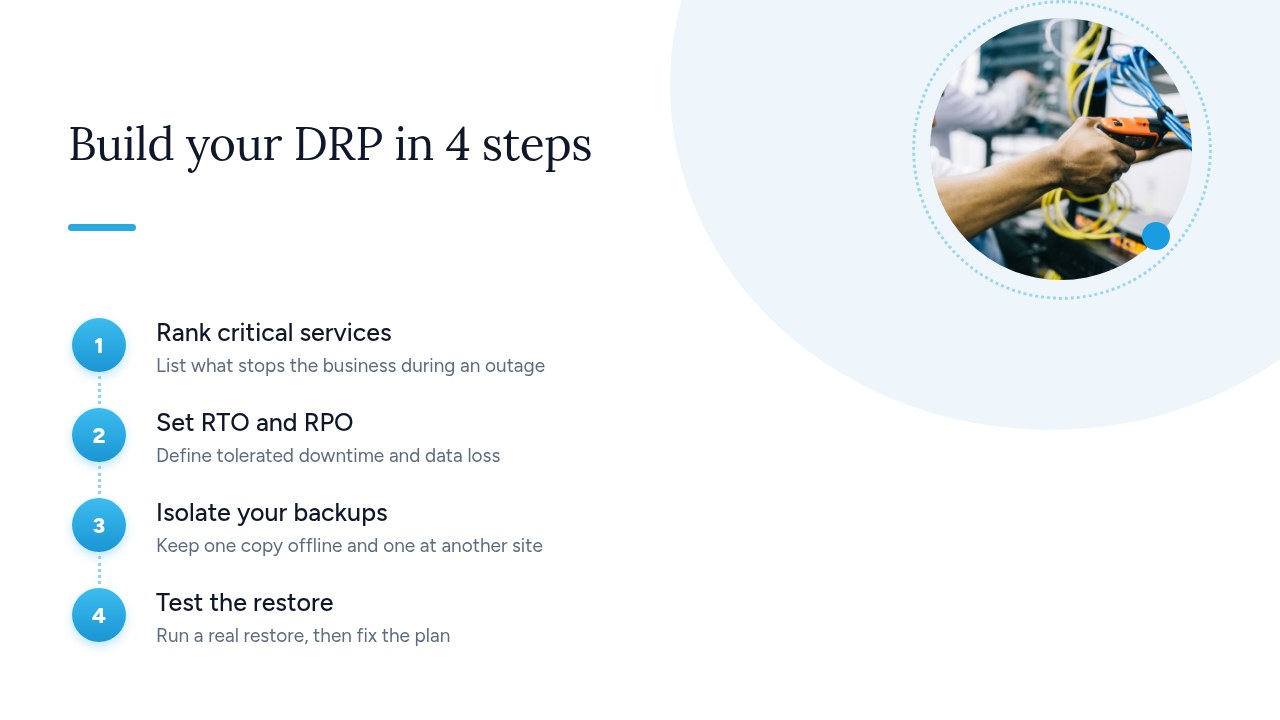
- Rank critical services: list your applications and data, then note what each outage would actually block. Involve business managers in this ranking. Deliverable: a prioritized list with the restart order.
- Set RTO and RPO: for each service, define the maximum acceptable downtime and the maximum amount of data you can afford to lose. Deliverable: a table of objectives approved by management.
- Isolate backups: the CNIL recommends storing at least one backup at a geographically separate site and keeping at least one isolated offline. Deliverable: an inventory of copies showing their content, location, frequency and owner.
- Test the restore: actually restore a priority service, time the operation and compare the result with your objectives. The CNIL advises regularly testing backup integrity and your ability to restore them. Deliverable: a test report listing the gaps found and the fixes to make.
Then keep these four documents together, along with useful contacts, somewhere you can reach even if your network is down: a printed copy is often enough.
How do you set your RTO and RPO?
To set your RTO and RPO, estimate for each service what an hour of downtime and an hour of lost data would cost, then pick the threshold beyond which the loss becomes unacceptable. According to IT-Connect, the RTO is the maximum acceptable time to restore a system after an interruption, and the RPO is the maximum amount of data the business can afford to lose.
Here are three purely illustrative examples, to be adapted to your business:
- Invoicing: if a two-day outage delays payments and a day's worth of invoices would be hard to re-enter, you might aim for an RTO of 24 hours and an RPO of 4 hours.
- Email: if customer communication stops almost immediately, you might aim for an RTO of 4 hours and an RPO of 24 hours.
- Archives: if they are rarely accessed and seldom modified, an RTO of 5 days and an RPO of 7 days may be enough.
The RPO directly determines your backup frequency: the interval between two backups must not exceed it. With a 4-hour RPO, a daily backup won't do, since it could lose up to a full day of data.
Pro tip: have management approve these objectives, along with their cost. The shorter the RTO and RPO, the more resources the backup and recovery solution requires. Then verify the chosen RTO during a real restore test.
What backups does a DRP need to work?
A DRP needs frequent backups, including at least one copy at another site and one offline copy, with restores tested regularly. The CNIL's recommendations provide a good starting point:
- Frequency: back up often. The CNIL notes that it may be appropriate to run daily incremental backups and full backups at regular intervals. Adjust this schedule to each service's RPO.
- Distance: store at least one backup at a site geographically separate from your operating site. A fire on your premises shouldn't destroy both the data and its copies.
- Isolation: keep at least one backup offline, disconnected from the company network.
- 3-2-1 rule: keep 3 copies of the data, on 2 different media, with 1 offline.
- Verification: regularly test backup integrity and your ability to restore them.
Against ransomware, isolation is most often the deciding factor. If backups stay on the same systems as the data, the CNIL warns that such a threat can attack both alike. A permanently connected drive or network share can therefore be encrypted along with the server, leaving your DRP with nothing to start from.
Pro tip: for each copy, ask yourself one simple question: could an attacker who controls your network reach it or delete it? If the answer is yes, that copy doesn't count as isolated.
What should you do in the first hours of a ransomware attack?
In the first hours of a ransomware attack, start by isolating the network, protecting your backups and alerting your IT person, before attempting any restore. The Cybermalveillance.gouv.fr response sheet points to the following sequence:
- Cut off the Internet: disconnect the affected network to block any communication between the attacker and your internal network.
- Raise the alarm: immediately notify your IT department or service provider, if you have one.
- Protect the backups: unplug any that are connected to the network to prevent them from being destroyed.
- Activate fallbacks: put your backup solutions in place to keep essential services running, and trigger your BCP and DRP if you have them.
- Don't pay the ransom: nothing guarantees that you will get your data back, or that any stolen data won't be published or used for fraud.
- Restore: recover from a backup taken before the attack, after checking that it isn't infected.
That last step is not one to rush: restoring a copy that is already compromised can restart the infection. This is also why your inventory of copies should show backup dates and remain accessible outside the affected network.
Pro tip: print this sequence along with the numbers of your key contacts. On the day of the attack, your files and email may be inaccessible. Also assign each action in advance to one person and a backup.
What does the GDPR require on recovery and notification?
The GDPR doesn't require a document called a "DRP", but it does demand security measures appropriate to the risk, which may include recovery capabilities, and it sets rules for breach notification. Article 32(1) of the GDPR mentions three types of measures in particular, as appropriate:
- Availability and resilience: the ability to ensure the ongoing confidentiality, integrity, availability and resilience of processing systems and services (point b).
- Restoration: the ability to restore the availability of and access to personal data in a timely manner after a physical or technical incident (point c).
- Testing: a process for regularly testing, assessing and evaluating the effectiveness of security measures (point d).
On notification, Article 33(1) requires the data controller to notify the supervisory authority without undue delay and, where feasible, no later than 72 hours after becoming aware of the breach, unless it is unlikely to result in a risk to the rights and freedoms of individuals. If notification is late, the controller must give the reasons for the delay.
Loss of availability does count as a breach according to the CNIL, just like a loss of integrity or confidentiality: personal data made inaccessible by ransomware may therefore be covered, even with no confirmed leak. If the investigation isn't finished, the CNIL accepts an initial notification, followed by a supplementary one as soon as the information is available.
Pro tip: include in your DRP the name of the person responsible for assessing the risk and notifying the CNIL. Also document the incident internally: the CNIL requires this for personal data breaches.
Yundera: a managed private server for your services and data
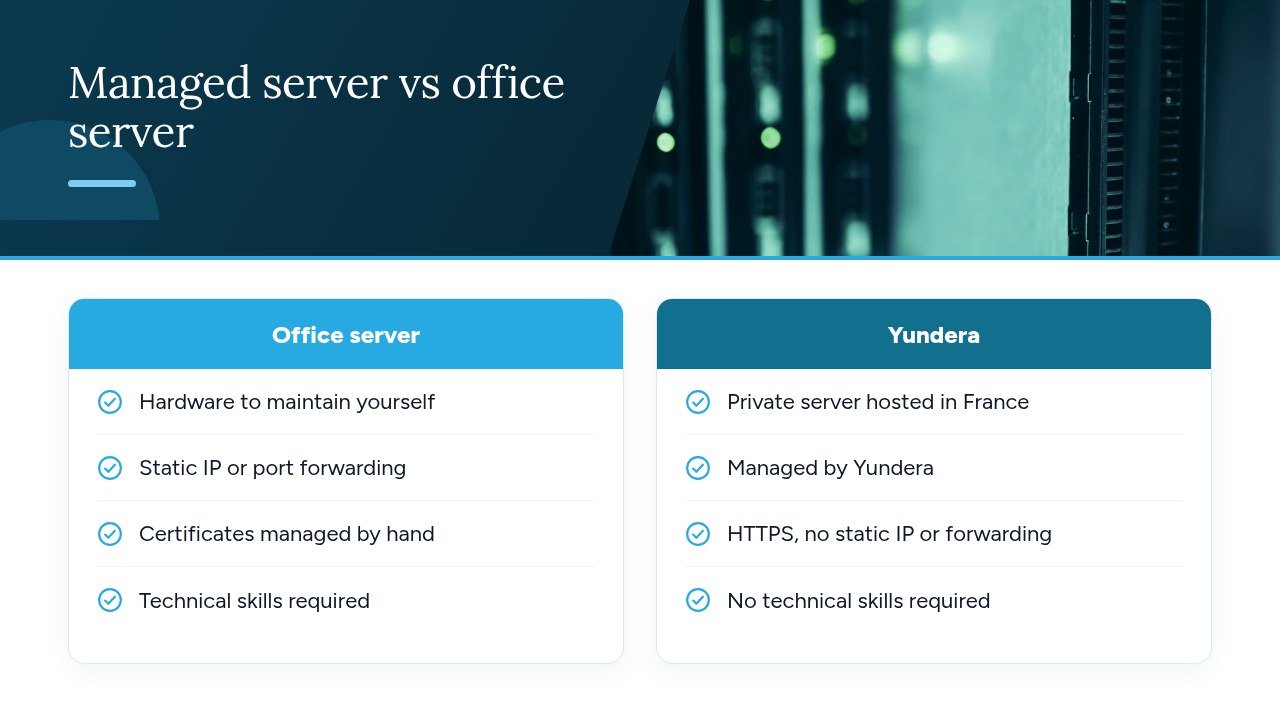
Yundera addresses part of the problem: running a private server for your applications and data without having to administer it yourself. This managed Personal Cloud Server is hosted in France and dedicated to a single customer. Ready-to-use open source applications (file storage, photos, website hosting, office tools and more) install in one click from an app store. Each one is available on your own domain over HTTPS, with no static IP, port forwarding or manual certificate setup. Your data stays on your server: Yundera neither collects nor resells it. No technical skills are required, because Yundera manages the server.
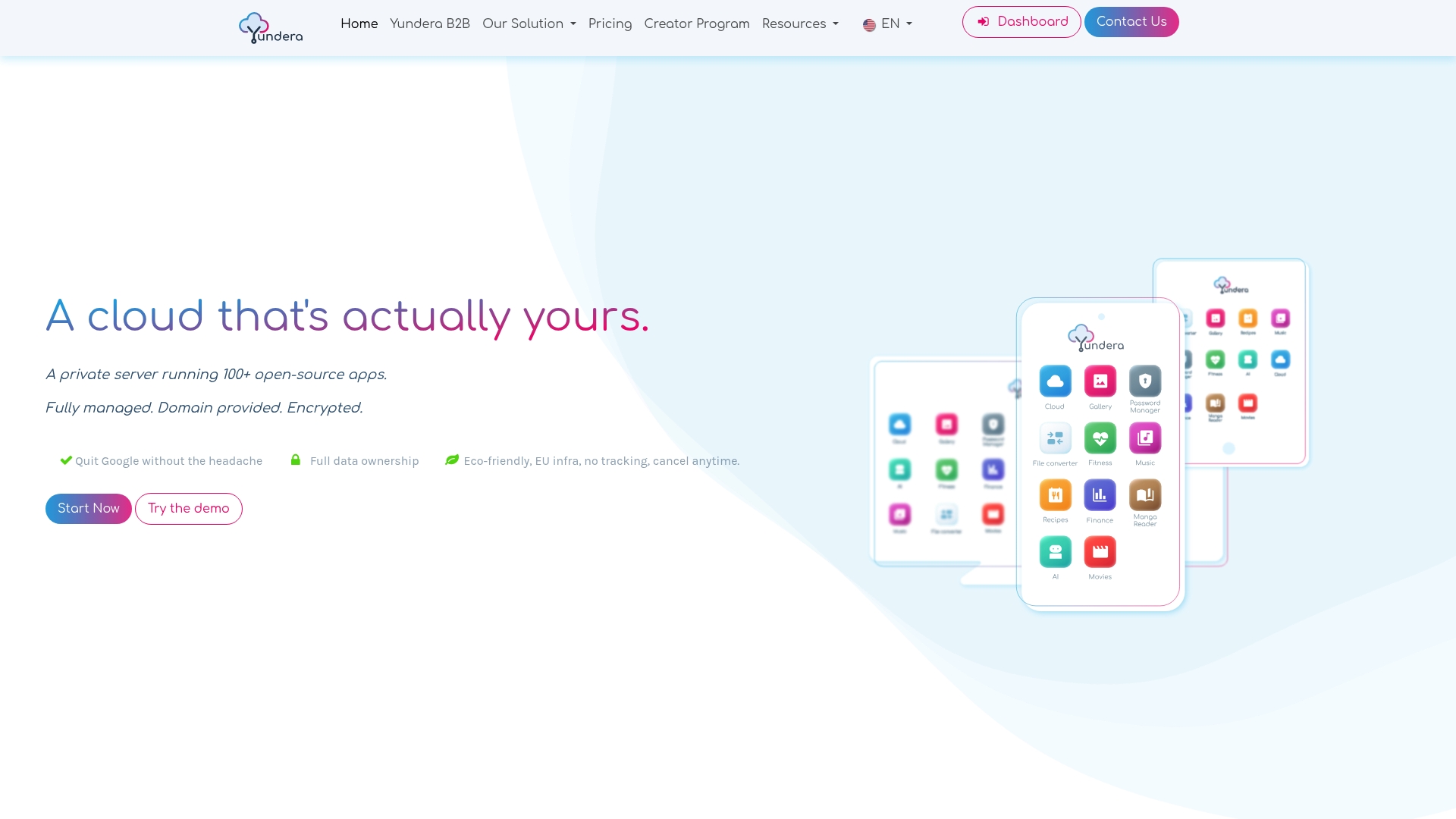
That said, this server isn't a DRP on its own. It is still up to the SMB to define its priorities, set its RTO and RPO, keep isolated copies and test its restores. To organize those copies, you can refer to our article on the 3-2-1 backup rule. If you choose this option, add the server to your list of critical services and to your tests, like any other part of your information system.
For plans and pricing, see the Yundera private servers page.
The most common mistakes that make a DRP fail
The mistakes that most often make a DRP fail are poorly isolated backups and restores that have never been tested: the CNIL specifically warns against backups kept on the same systems as the data and reminds organizations to test their restores regularly. In our experience, four other pitfalls keep coming up:
- Inaccessible plan: stored only on the network, it gets encrypted with everything else.
- Theoretical objectives: an RTO and RPO set without input from the business don't reflect real needs.
- Static plan: applications, contacts and providers change, but the document doesn't.
- Forgotten notification: nobody knows who assesses the risk or who notifies the CNIL.
If you only do one thing this week, schedule a restore test for a critical service. Time it and note what gets in the way: that will be the most concrete starting point for your DRP.
— Yundera
Sources
- Security: Backing Up | CNIL
- Notifying a Personal Data Breach | CNIL
- Chapter IV - Controller and Processor | CNIL
- Ransomware: What to Do if Your Organization Is Attacked - Assistance to Victims of Cybercrime
- Threat Level Remains Very High in 2025, According to ANSSI - Le Monde Informatique
- IT - DRP and BCP: Why and How?
Frequently Asked Questions
What is the difference between a BCP and a DRP?
A BCP aims to keep the company's critical functions running during the disruption, in degraded mode if necessary. A DRP sets out the procedures for restarting and restoring the information system after the incident.
Is a disaster recovery plan mandatory for an SMB?
The GDPR doesn't require a document called a "DRP". It does, however, call for security measures appropriate to the risk, which may include the ability to restore data availability in a timely manner. Other obligations may apply depending on the company's sector or contracts, so check your own situation.
What do RTO and RPO mean?
The RTO (Recovery Time Objective) is the maximum acceptable time to restore a system after an interruption. The RPO (Recovery Point Objective) is the maximum amount of data the business can afford to lose, and it determines how often you need to back up.
How often should you test a DRP?
The texts we consulted don't set a single frequency: the CNIL and Article 32 of the GDPR refer to regular testing. We recommend at least one restore test of a critical service per year, as well as after any major change to the information system. Adapt this schedule to how critical your services are.
Should you pay the ransom after a ransomware attack?
No, Cybermalveillance.gouv.fr recommends against paying the ransom. Payment guarantees neither that you will recover the data nor that stolen data won't be published or used for fraud. Instead, restore from a backup taken before the attack, after checking that it isn't infected.
Disaster Recovery Plan (DRP): The 2026 Guide for SMBs